Cute Bunny on a Cloud: A Watercolor Design Asset for Gentle Branding
Visual Characteristics and Emotional Appeal
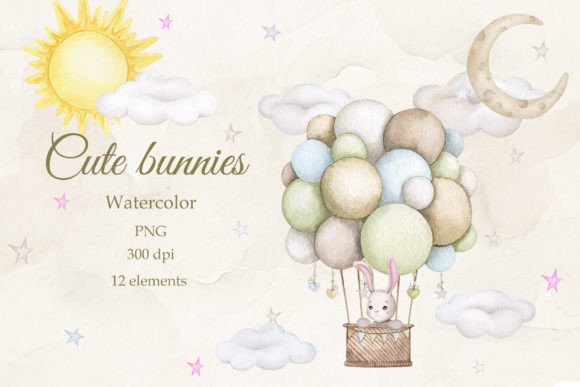
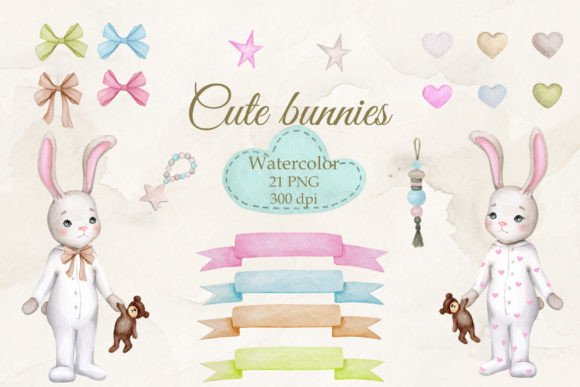
The Cute Bunny on a Cloud watercolor illustration is more than just a pretty picture; it’s a specific design asset that communicates a very distinct emotional frequency. The visual style relies on soft washes, translucent layering, and the organic imperfections characteristic of traditional watercolor media. You aren't dealing with sharp vector lines or flat digital colors here. Instead, you get the texture of paper grain and the natural blending of pigments that creates an immediate sense of warmth and authenticity.
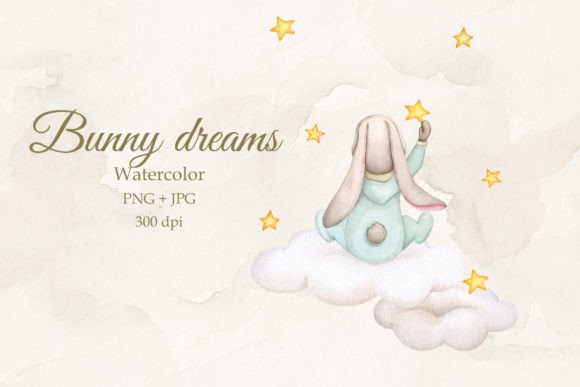
The composition features bunnies resting on clouds, which inherently triggers associations with comfort, dreams, and childhood innocence. This makes the Cute Bunny on a Cloud PNG and JPG files a powerhouse for specific types of branding. It isn't trying to be edgy or corporate. It is designed to be approachable and gentle. For a creative professional, this "personality" is crucial. It dictates that this asset works best in environments where you need to lower the audience's guard and create a feeling of safety or whimsy. It is a premium font alternative in terms of visual impact, offering the same level of professional polish but through illustration rather than typography.
Strategic Applications for Designers and Entrepreneurs
Understanding where to deploy the Cute Bunny on a Cloud watercolor composition is key to maximizing its value. Because the files come in high resolution (7000 x 10000 px at 300 dpi), the applications are vast, spanning both digital and physical realms.
For packaging design, this asset is ideal for products targeting the baby care, confectionery, or artisanal soap markets. Imagine wrapping paper for a boutique gift shop or the background of a label for organic baby lotion. The watercolor texture adds a perceived value to the product, suggesting it is handmade or crafted with care. This aligns perfectly with brand identity work for small businesses trying to compete with mass-market giants by emphasizing quality and charm.
In the realm of editorial design and publishing, the illustration serves as a versatile background for text-heavy layouts. If you are designing a magazine cover for a parenting issue or a chapter header for a children’s book, the transparent PNG format allows you to layer text directly over the clouds. However, keep visual hierarchy in mind. Because the watercolor style is busy, you will need to pair it with a clean, legible sans serif font or a serif font with high x-height to ensure readability. A decorative script font might get lost in the texture, so use those sparingly for accents only.
- Event Stationery: Create cohesive suites for Baby Showers and First Birthdays using the JPG for invitations and the PNG for sticker seals.
- Nursery Decor: The high resolution allows for large-format printing. You can create posters or canvas art that serve as the anchor for an entire room's color palette.
- Digital Products: Use the composition to design social media graphics for Instagram or Pinterest, particularly for lifestyle bloggers focusing on motherhood or family life.
Technical Integration and File Management
When you download the Cute Bunny on a Cloud zip file, you are receiving specific file formats that dictate how you should handle the asset in your graphic design workflow. The PNG file features a transparent background, which is your primary tool for layering. This allows you to place the bunnies over different colored backgrounds or on top of other textures without the hassle of clipping masks. It is compatible with Adobe Photoshop, Illustrator, and Affinity Photo.
The JPG version includes a watercolor paper background. This is best used when you want the composition to stand alone or when you need to fill a specific print dimension (23.3" x 33.3") without worrying about tiling or extending the background. When working in Adobe Photoshop, keep the color mode (RGB) in mind. While RGB is standard for screens, if you are sending this to a professional printer for packaging design or physical greeting cards, you will need to convert the file to CMYK. Be aware that watercolors often shift slightly when converting from RGB to CMYK, particularly in the vibrancy of the blues and pinks. Always request a proof.
For those using this for DIY projects or scrapbooking, the file size is substantial. This ensures that even if you crop in tight on a specific bunny for a sticker or a tag, the image remains crisp. This level of detail is what separates amateur clip art from professional design assets. It allows for a level of versatility that cheaper, lower-resolution alternatives simply cannot provide.
Pairing and Brand Consistency
One of the most common mistakes creatives make with rich illustrations like the Cute Bunny on a Cloud watercolor is poor font pairing. Since the illustration is soft, round, and organic, your typography needs to complement, not fight, those traits.
If you are building a brand identity for a daycare or a baby boutique, consider pairing the illustration with a rounded geometric sans serif. This mimics the softness of the bunnies while maintaining modern legibility. Alternatively, a very clean modern typography style can provide a nice contrast, grounding the whimsical illustration with a structured layout. Avoid overly distressed handwritten fonts unless you are going for a very specific "rough" aesthetic, as this can clash with the delicate nature of the watercolor.
Consistency is vital. If you use the Cute Bunny on a Cloud on your website header, ensure you use elements of it in your email marketing and physical business cards. This repetition builds brand recognition. The illustration acts as a visual anchor. When your audience sees those specific pastel tones and soft brush strokes, they should immediately associate it with your brand's promise of comfort and quality. By treating this watercolor composition as a core component of your visual strategy rather than just "decoration," you elevate the professionalism of your entire project.