Sundulgan Google Slide Templates: A Designer's Toolkit
Every creative project begins with a vision, but translating that vision into a polished, professional presentation is often where the real work begins. You have the data, the story, and the strategy, but you need a framework that is both visually striking and functionally robust. This is precisely the gap that the Sundulgan Google Slide Templates are designed to fill. It’s not just a set of slides; it's a comprehensive design system built for clarity, impact, and versatility, perfect for anyone from a startup founder to a seasoned marketing director.
More Than a Template: A Design Philosophy
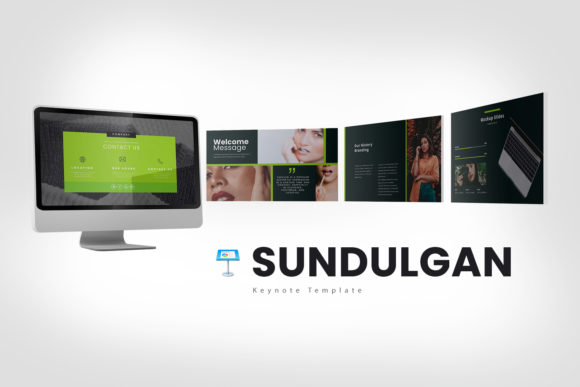
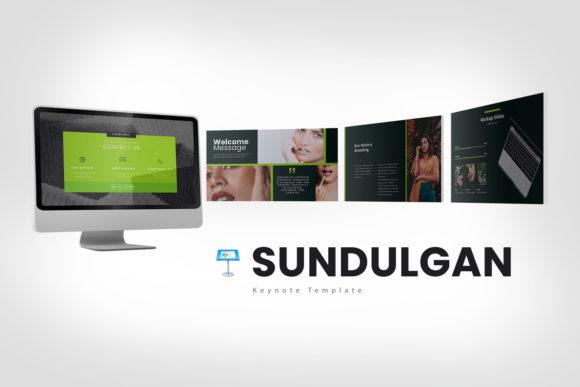
At first glance, the Sundulgan Google Slide Templates present a clean, modern, and minimalist aesthetic. The design philosophy here is one of confident restraint. It avoids clutter and unnecessary ornamentation, focusing instead on strong typographic hierarchy, ample white space, and a structured grid system. This creates a sense of calm professionalism, allowing your content to be the hero. The visual personality is approachable yet authoritative—think of a well-tailored suit that fits perfectly in a boardroom but feels equally at home in a creative studio. The overall appeal lies in its ability to make complex information look simple and organized, a critical skill in effective communication.
The template includes a single, carefully curated color scheme available in both white and dark background versions. This duality offers immediate flexibility. The white background version feels open, airy, and ideal for corporate reporting or educational content. The dark background version, conversely, exudes sophistication and drama, making it perfect for branding pitches, product launches, or evening event presentations. This thoughtful inclusion means you have a ready-made solution for different moods and audiences without needing to start from scratch.
Practical Power for Real-World Projects
The true value of a design asset like Sundulgan is measured by its utility across diverse projects. Its 30 unique slides (60 total with both background versions) are not arbitrary; they are crafted to solve common presentation challenges. For entrepreneurs and small business owners, the fully editable charts and diagrams are invaluable. You can present financial projections, market analysis, or operational workflows with clarity and visual consistency. The charts are editable in Excel, a practical touch that saves immense time and prevents the frustration of recreating data visualizations.
For marketers and content creators, the template shines in storytelling. The layout options support a narrative flow, guiding an audience from problem to solution. Use the image placeholder slides to showcase high-impact visuals for a product feature or a customer testimonial. The clean layout ensures that your social media graphics or campaign results are presented without distraction. Bloggers and publishers can leverage it for media kits or partnership proposals, where a professional and cohesive brand identity is non-negotiable. The included vector icons are a subtle but powerful tool, allowing you to create custom infographics that align perfectly with the template's style.
Building a Cohesive Brand Identity
A presentation is often the first formal introduction to your brand for potential clients, investors, or partners. Inconsistent design can undermine credibility. Using the Sundulgan Google Slide Templates ensures a level of visual consistency that reinforces brand perception. The structured grid and uniform styling across all slides create a seamless experience. This consistency extends beyond the slides themselves; the modern typography and clean lines project an image of innovation and attention to detail. It subtly communicates that your brand values quality and professionalism in every aspect of its operation.
The template's scalability is a key feature. Whether you're designing a 10-slide pitch or a 50-slide quarterly review, the system holds together. This prevents the common pitfall of presentations that start strong but devolve into visual chaos as more content is added. By providing a robust framework, Sundulgan empowers you to focus on your message, secure in the knowledge that the visual delivery is handled. It acts as a silent partner in your branding strategy, ensuring every presentation contributes positively to your overall brand identity.
Integrating Sundulgan into Your Workflow
Adopting a new template system should streamline your process, not complicate it. The Sundulgan Google Slide Templates are designed for ease of use. Before you begin, take a moment to install the recommended free fonts as noted in the documentation. This small step ensures that the typography renders exactly as the designer intended, preserving the intended visual hierarchy. The quick guide file is there to help you navigate the structure, but the intuitive layout means you can start customizing almost immediately.
When evaluating if this template is the right fit, consider your project's core need. If you require a presentation that balances creative flair with corporate professionalism, Sundulgan is an excellent candidate. Test font pairings by experimenting with the provided typefaces in your headings and body text. The clean sans-serif style used throughout offers a solid foundation that pairs well with other modern typography. For projects requiring a specific brand font, the template's editable nature allows for seamless integration. Remember, the stock photos shown in previews are not included, which is standard practice. This actually gives you the creative freedom to use your own high-quality images, making the presentation truly yours.
In the end, the Sundulgan Google Slide Templates offer more than just slides. They provide a structured approach to visual communication. They are a toolkit for building persuasive narratives, presenting data with confidence, and reinforcing a professional brand image. For the designer, entrepreneur, or marketer, it’s a resource that respects both the time investment required to create a great presentation and the intelligence of the audience viewing it. It’s a practical foundation upon which you can build your most impressive and effective presentations yet.